// Overview
An AI Companion for reflection
LifeLens is an intelligent journaling application I developed for my Human-Computer Interaction course at Thompson Rivers University in April 2025. It transforms journaling from a simple text-entry task into an insightful, interactive experience centered on reflection, emotional awareness, and long-term pattern recognition.
The goal was to create an AI-powered companion that helps users capture thoughts, track emotions, visualize progress, and gain deeper self-awareness with less friction through quick entry flows, multiple input methods, and immediate feedback.
Core Objectives:
- Create an intuitive and engaging user interface (HCI focus)
- Integrate AI for enhanced functionality (formatting, analysis, input)
- Provide meaningful data visualizations for self-reflection
- Streamline the journaling process with quick entry and multiple input methods
↑ Walkthrough of the LifeLens intelligent interface
Engagement
Creating an intuitive, non-intimidating interface that lowers the friction of daily logging.
Analysis
Integrating AI for formatting, analysis, reflection prompts, and flexible input.
Clarity
Visualizing mood, energy, productivity, and creativity trends through long-term heatmaps.
Flow
Streamlining journaling with quick entry, markdown support, OCR, and voice capture.
// Visualization
Visualizing the Self
Personalized Hub
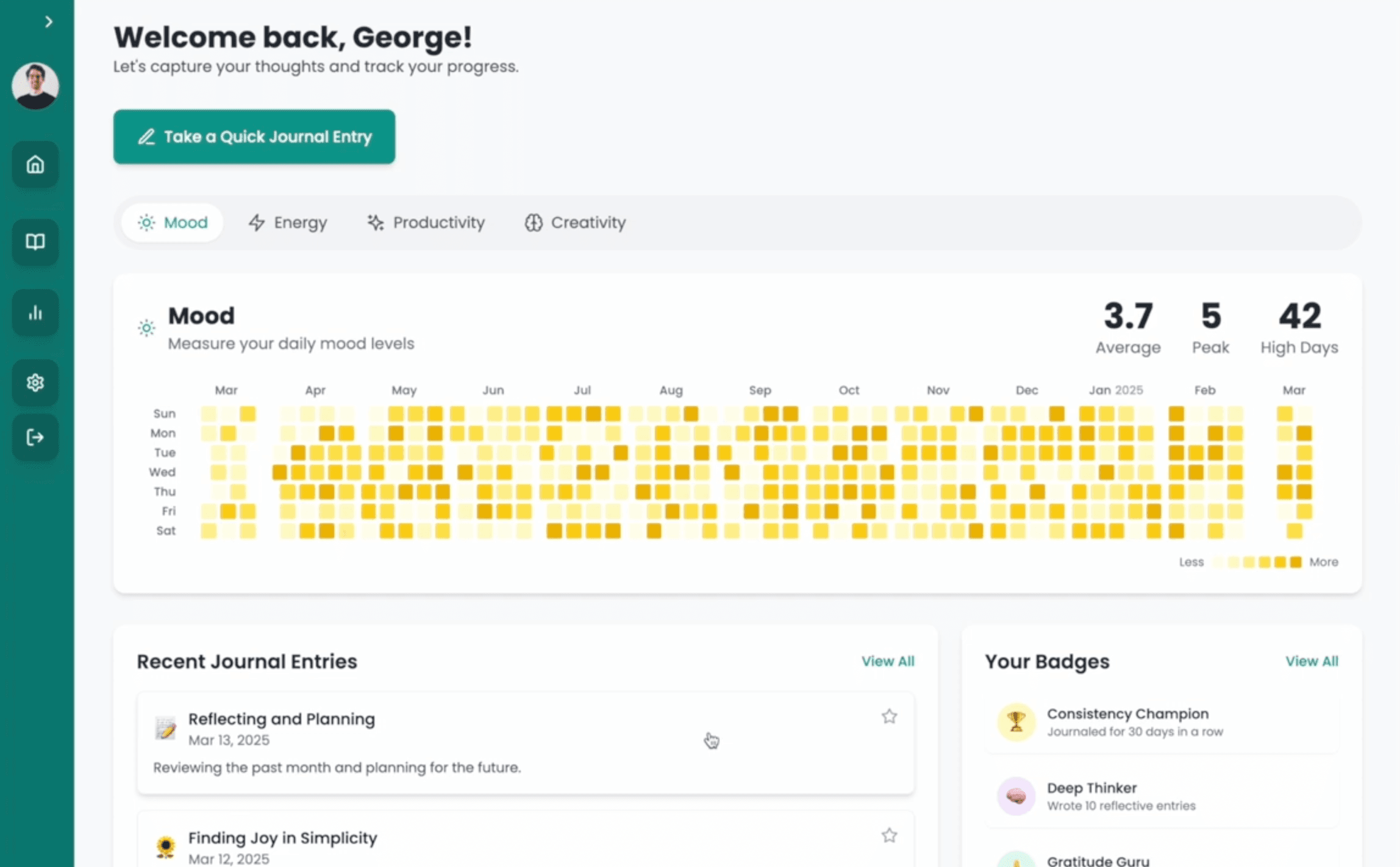
The central dashboard welcomes the user with a one-click Quick Journal Entry flow and an immediate overview of their journaling journey. Heatmaps for Mood, Energy, Productivity, and Creativity use color intensity to surface trends that would be hard to notice in raw entries alone.
It also keeps the experience grounded in daily use through four key components: recent journal entries for quick access, favorites for pinned reflections, badge-based milestones such as "Consistency Champion" or "Gratitude Guru," and the heatmap grid that lets users spot long-term patterns at a glance.
Temporal Insights
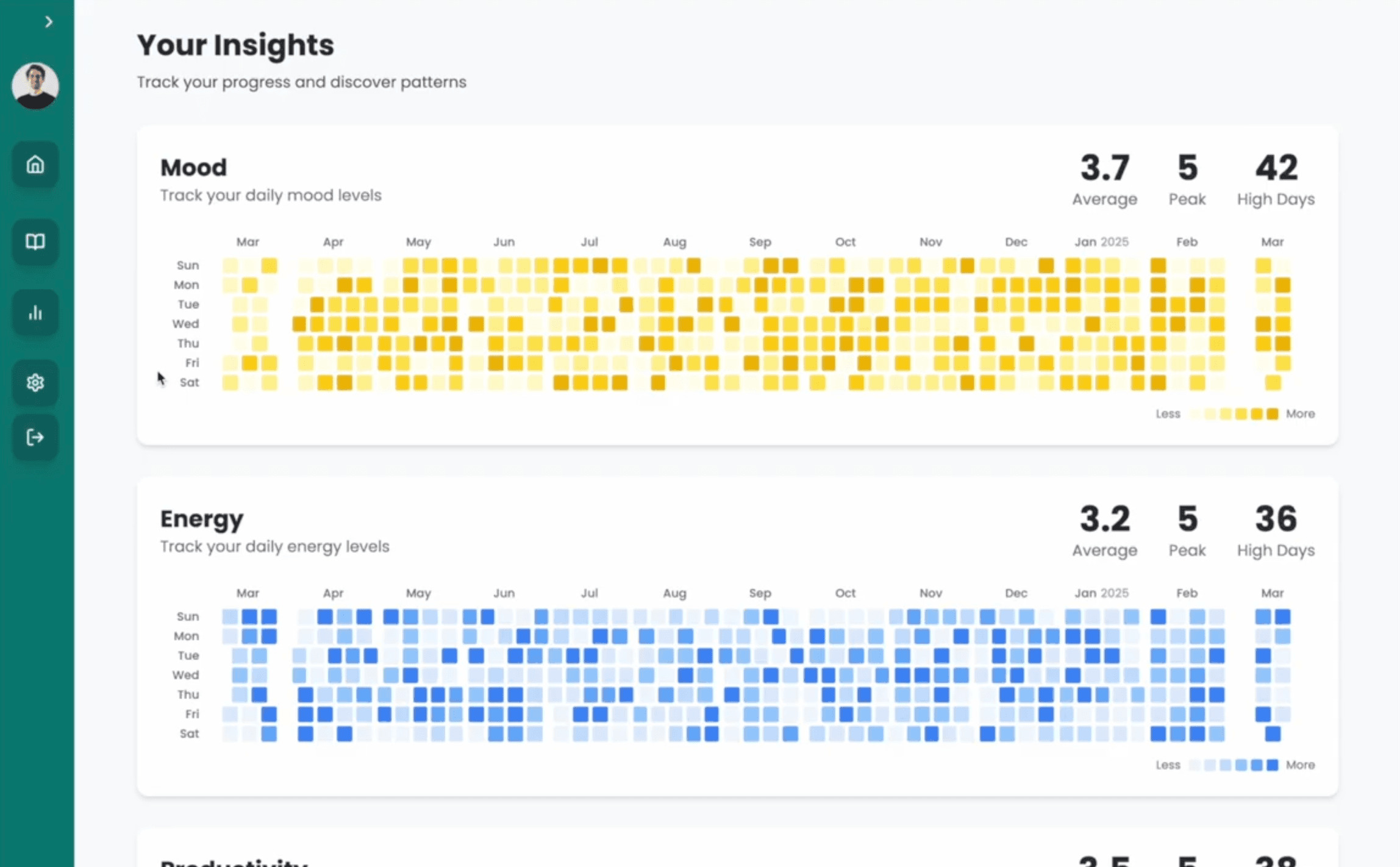
An in-depth Insights page extends the dashboard into a full-year reflection layer, helping users explore how different well-being metrics correlate over time.
The heatmap approach was a deliberate HCI decision: it represents temporal density across days and months in a format that is visually compact, easy to scan, and cognitively lighter than dense charts or tables.
// Interaction Design
Seamless Capturing
Organized History
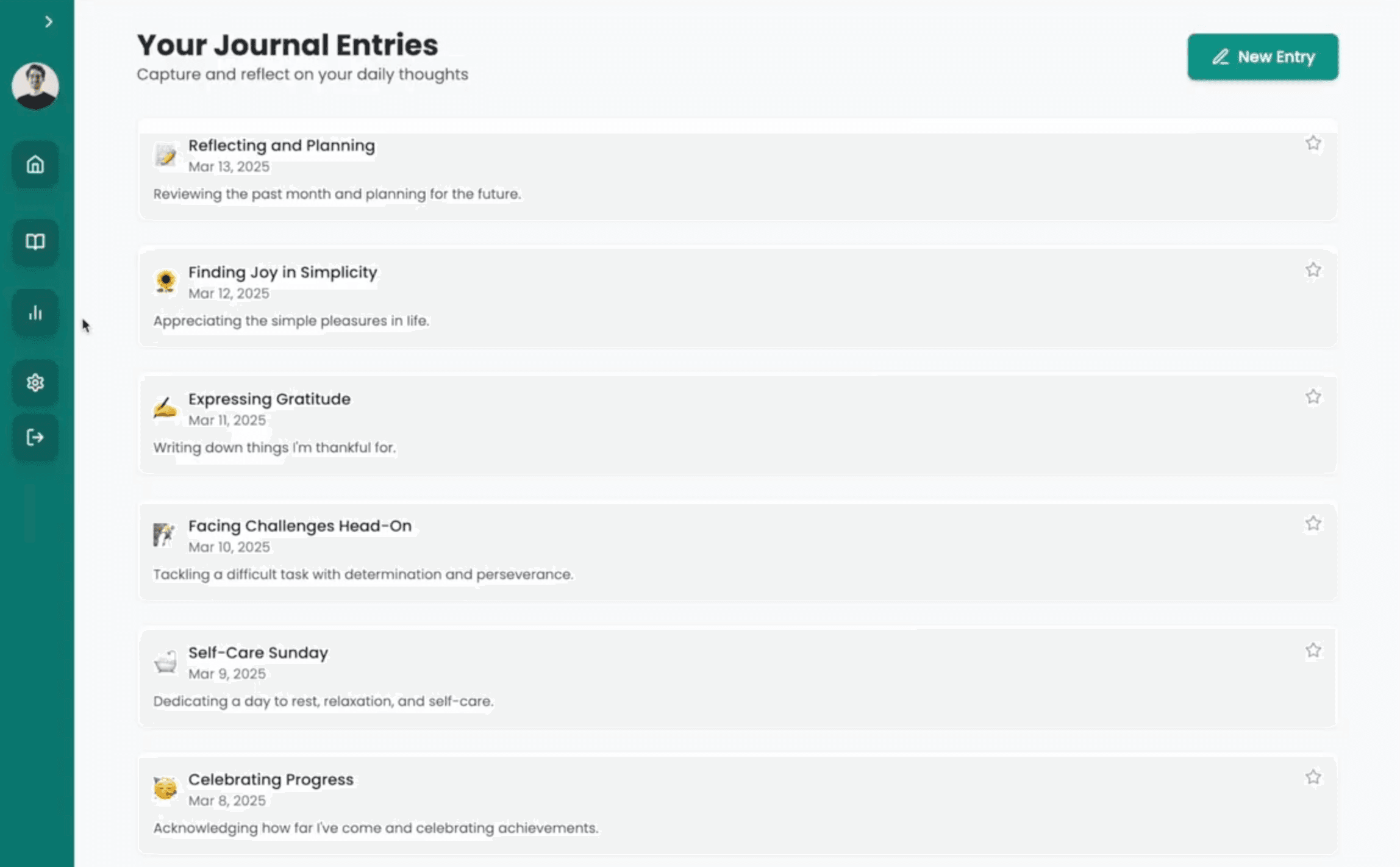
A clean, chronological repository of thoughts makes it easy to revisit full entries alongside the emotional and cognitive metrics — Happiness, Creativity, Energy — captured at the time of writing. Users can review entry details, edit older reflections with corrections or additions, and mark meaningful moments as favorites for quick retrieval from the dashboard.
Distraction-Free Writing
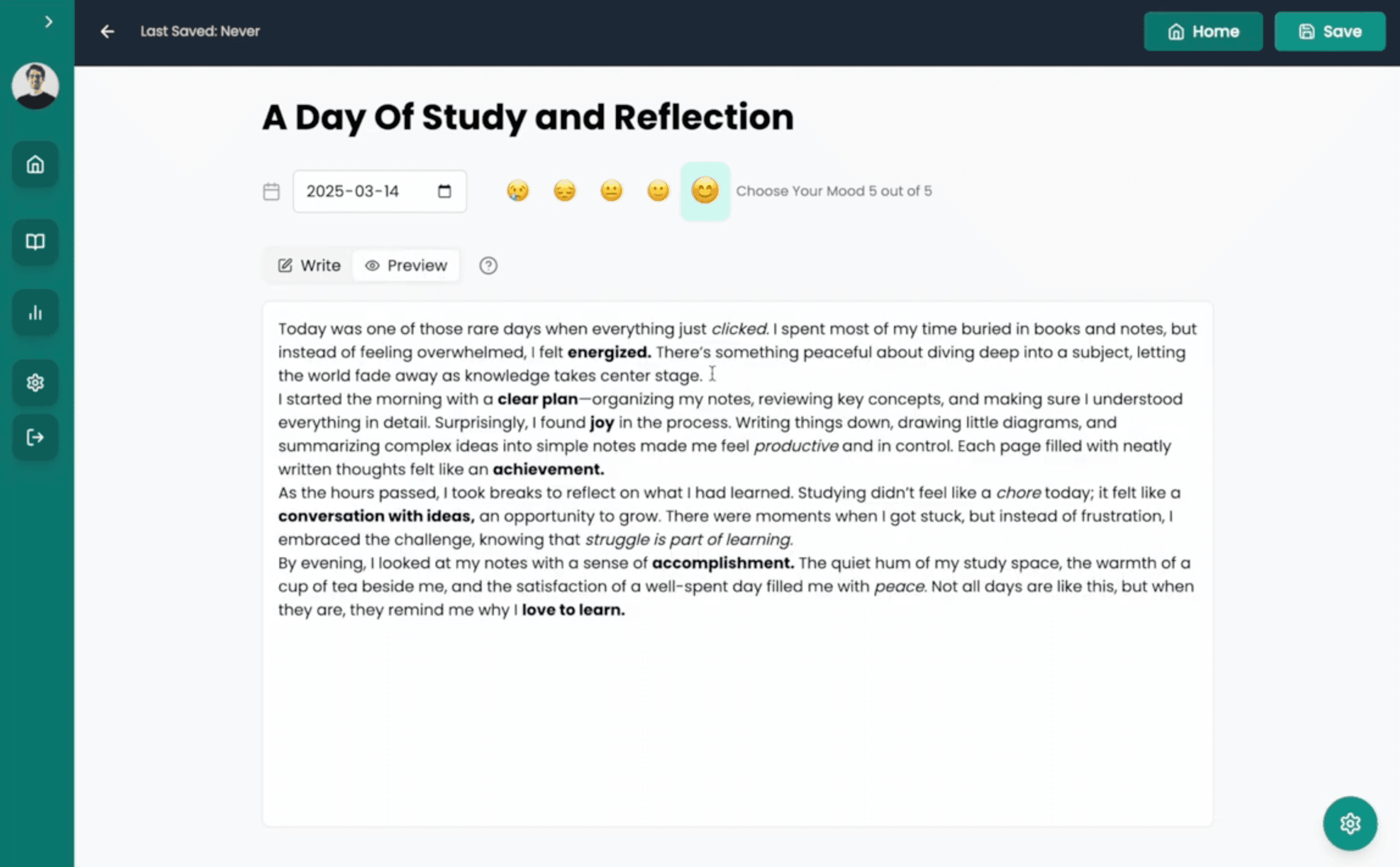
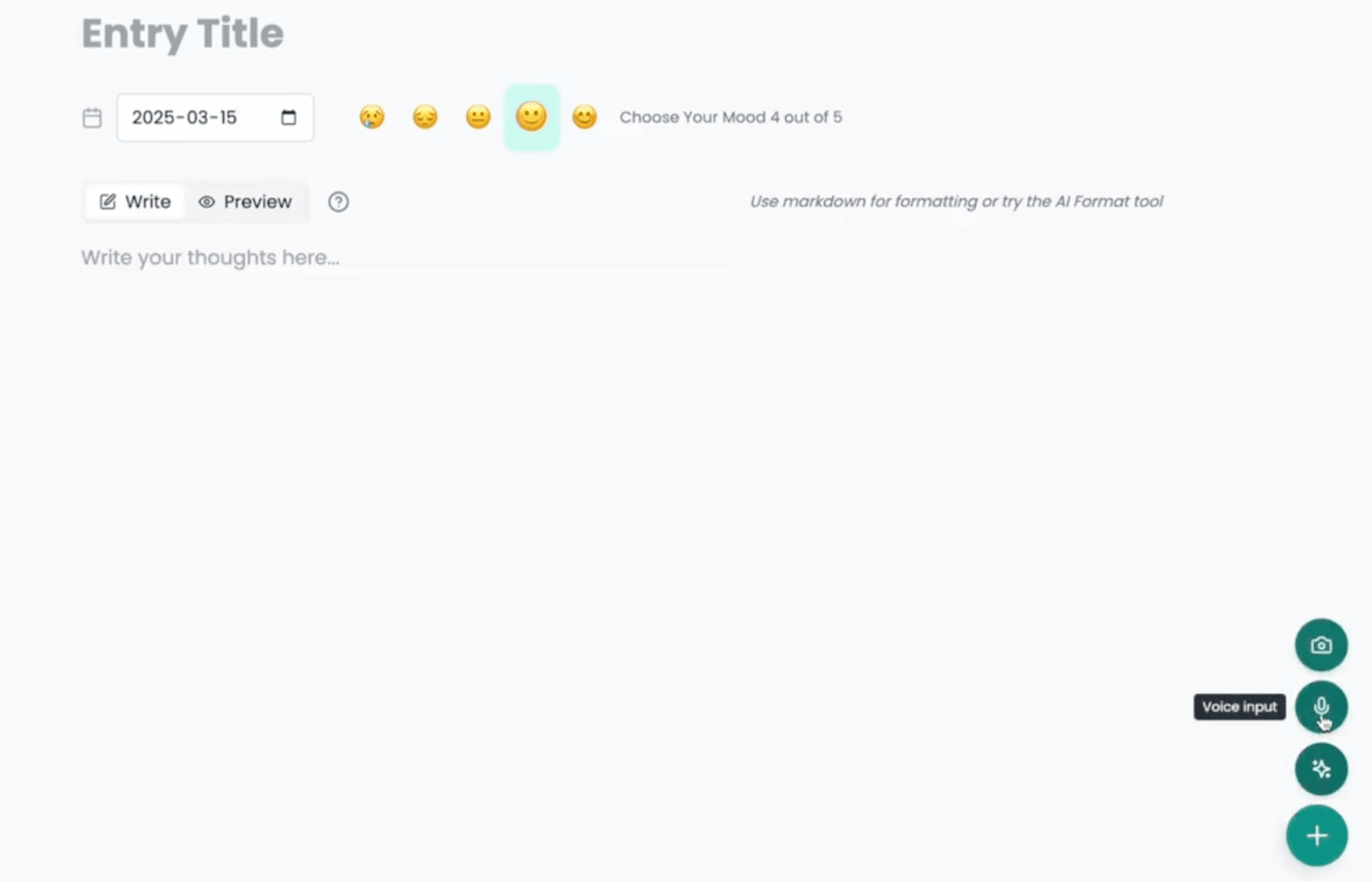
Creating a new entry opens a focused writing canvas where users can set a title, date, and mood rating without getting lost in secondary UI. That restraint was intentional: the product needed to support reflection first, then analysis. If a title feels unnecessary mid-thought, it can be left blank and AI will generate a fitting one after the entry is saved.
Markdown Editor
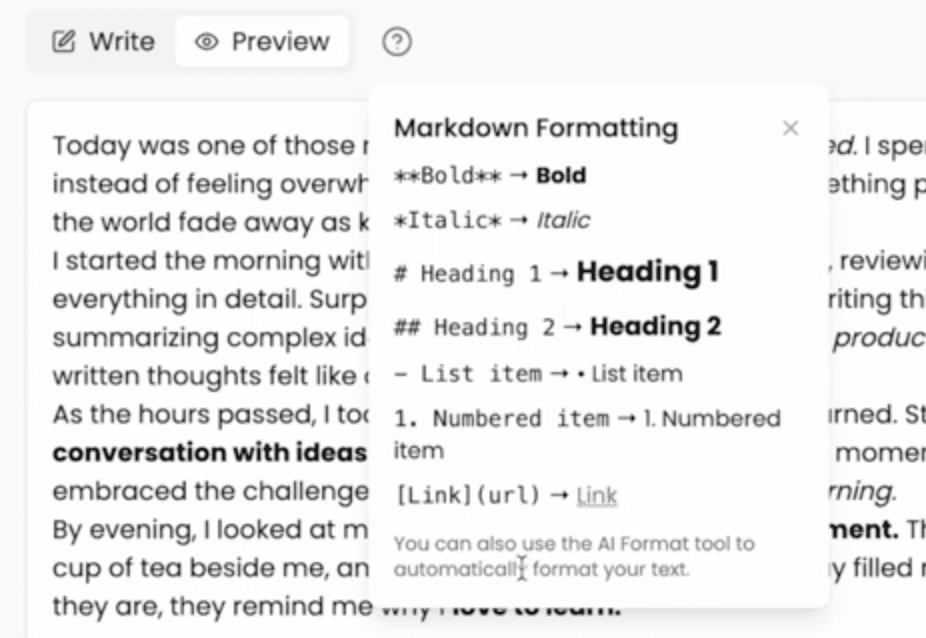
The editor supports headings, lists, bold, italics, and other standard Markdown syntax. Users can toggle instantly between Write and Preview modes to see their formatted output without leaving the journaling flow. A built-in syntax guide is always one tap away for users who are new to Markdown.
// Intelligence
AI-Powered Flow
Sentiment Analysis
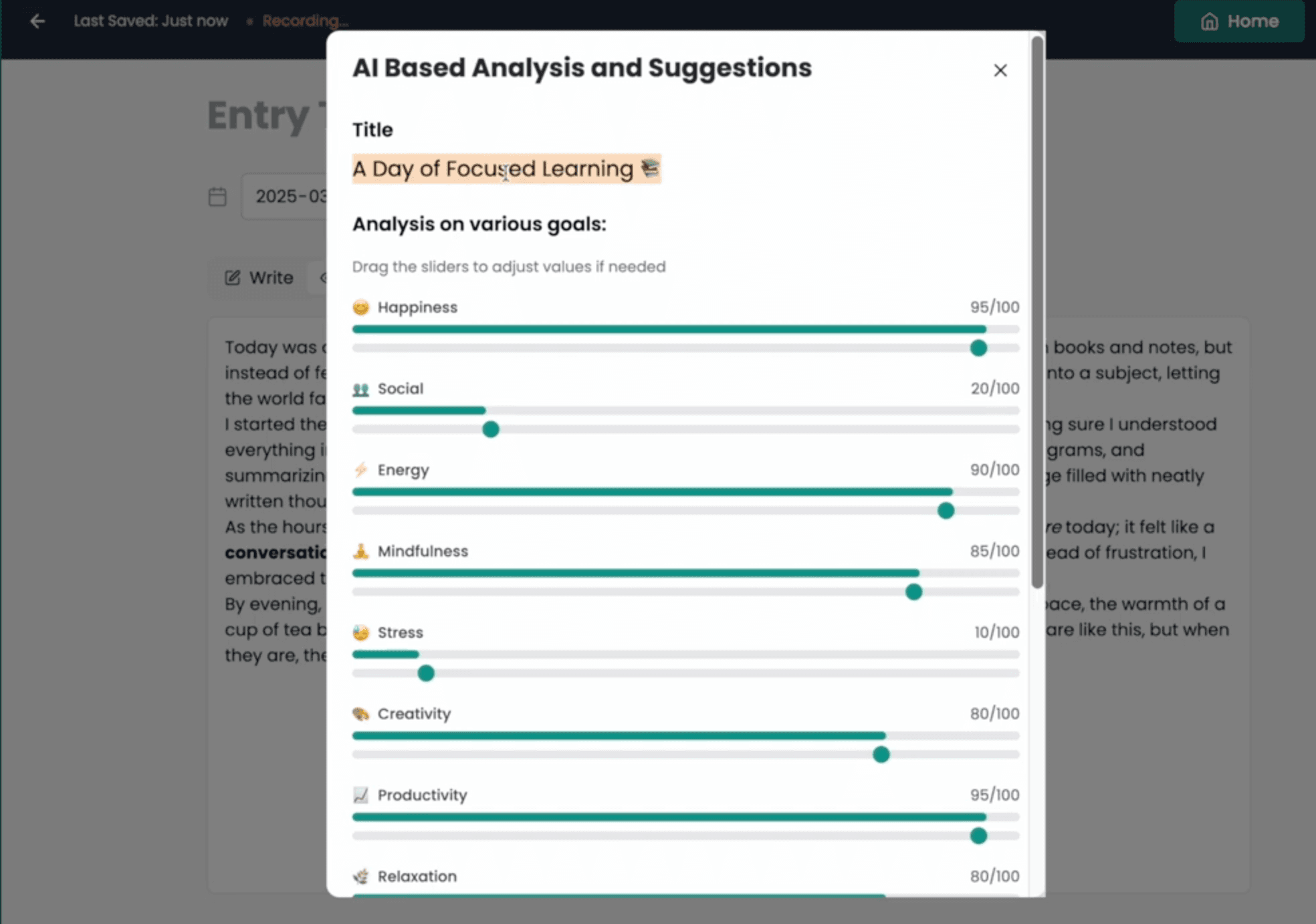
After saving an entry, an LLM-based AI agent analyzes the text and returns quantitative scores across emotional dimensions — Happiness, Energy, Mindfulness, Stress, and Productivity — derived from sentiment and keyword patterns. Alongside the scores, users receive personalized textual feedback and targeted reflection prompts to surface what changed and why.
If no title was provided, the model generates a contextually relevant one, keeping the writing flow uninterrupted while still producing a well-labeled entry.
AI Formatting Tool
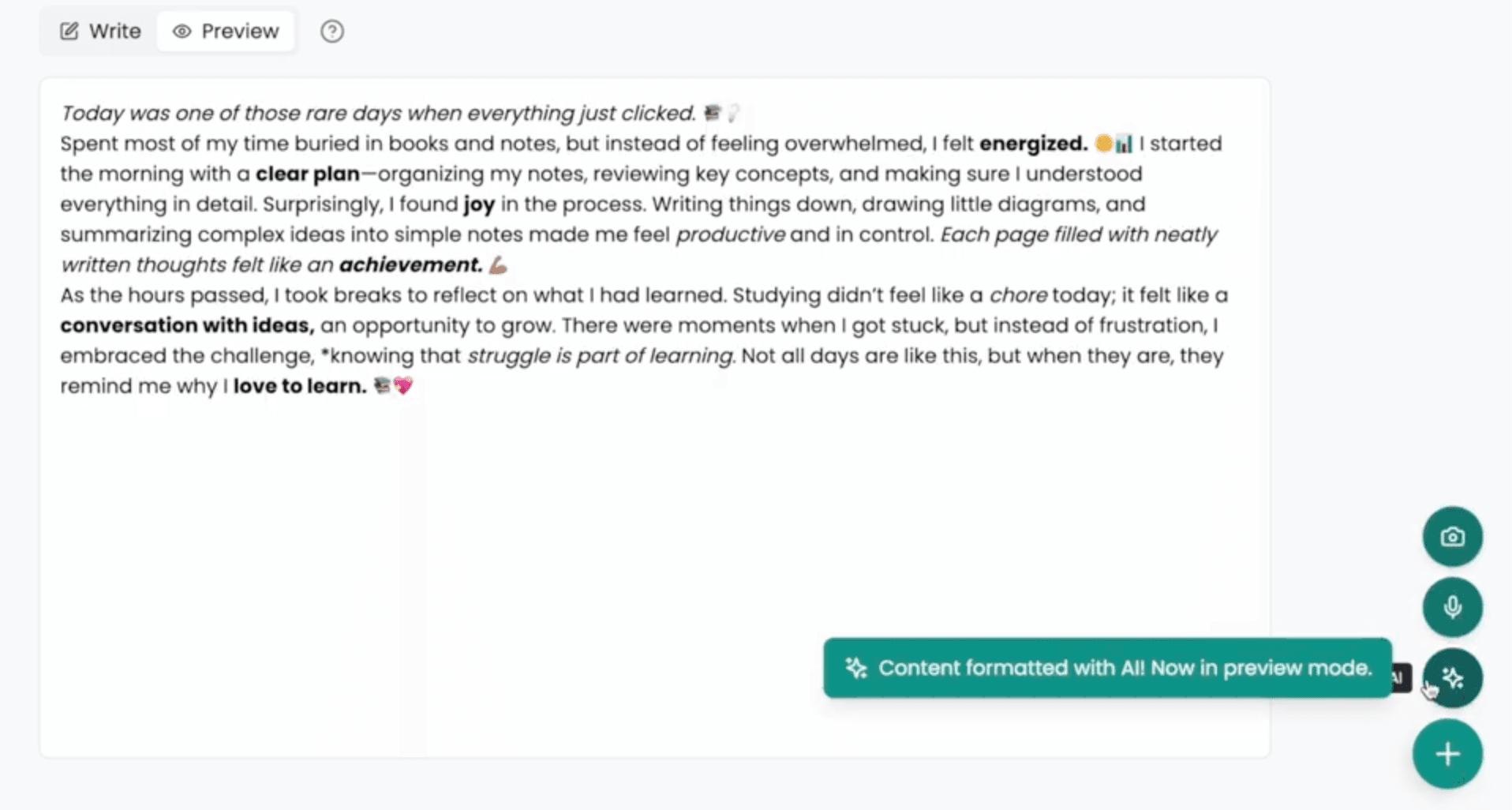
When users want to capture thoughts quickly, LifeLens can transform rough, unstructured text into a clean Markdown document with headings, bullet points, and emphasis — all with a single click. The AI adds structure based on the content's natural shape, saving time while preserving the user's original meaning and voice.
Hybrid Journaling (OCR)
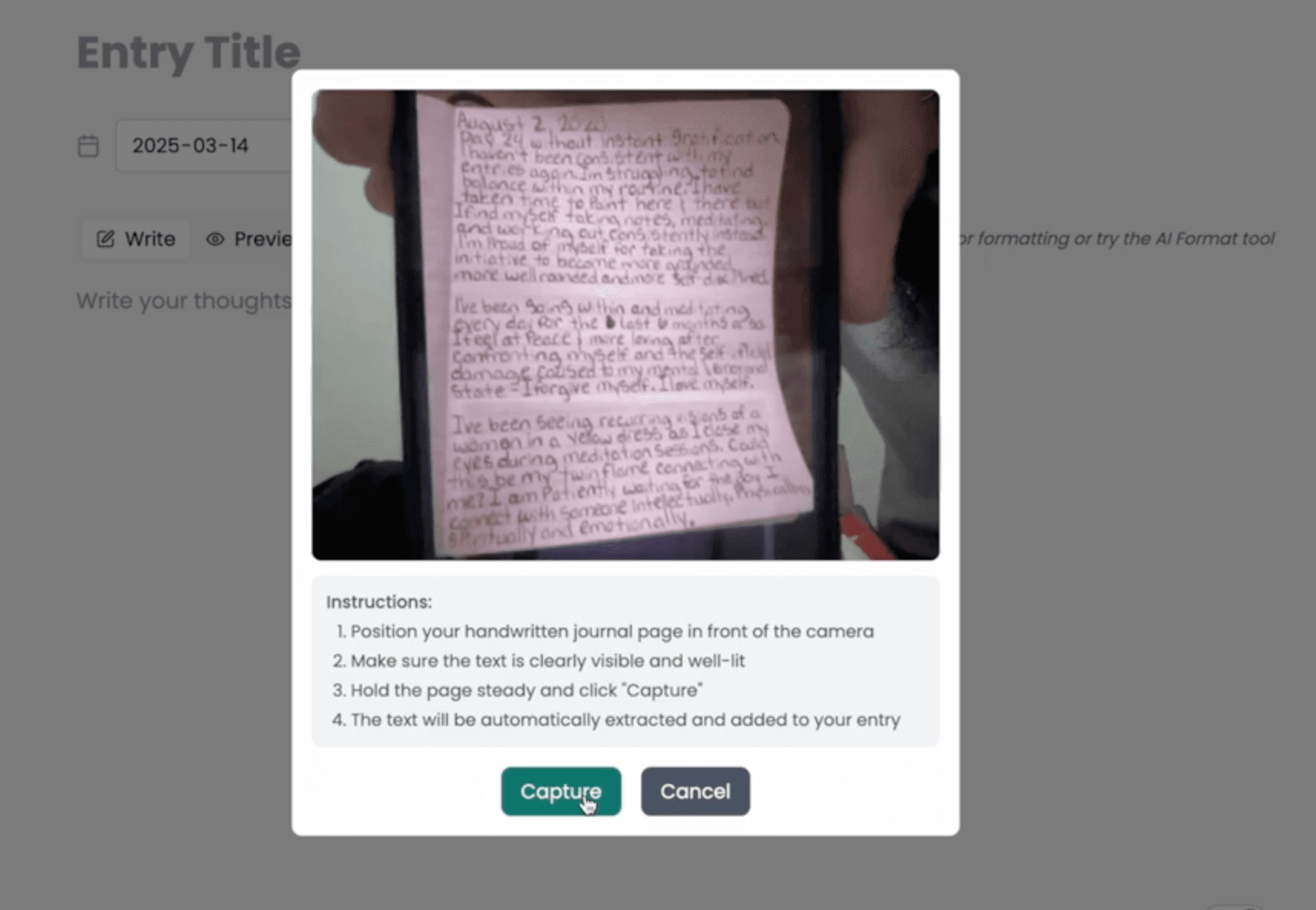
Bridging the physical and digital gap, LifeLens lets users point a camera at a handwritten journal page and extract the text directly into the editor via Optical Character Recognition powered by a local Llama vision model. The feature preserves the familiarity of paper journaling while keeping every entry searchable, editable, and analyzable.
Voice Input (Speech-to-Text)
For moments when writing feels too slow or inconvenient, voice-to-text offers a faster capture path. The feature transcribes spoken words into text directly within the journal entry editor via the browser's native Speech Recognition API, requiring no external service or additional setup.
Supporting multiple input modes — typed text, handwriting via OCR, and voice — was essential to making journaling feel natural rather than burdensome, and to accommodating different user preferences and contexts.
// Engineering
System Foundation
LifeLens was built with modern web technologies and user-centered design principles applied throughout the HCI course. The real engineering focus was interaction design: making journaling feel approachable, keeping visualizations legible, and ensuring that common actions — saving, previewing, and AI-assisted processing — felt immediate and reliable.
The AI layer runs on locally hosted Llama models, handling both vision tasks (OCR) and language tasks (formatting, analysis, title generation) without sending user data to external services. LLM-based agents coordinate the analysis pipeline, while the Speech Recognition API handles voice-to-text transcription natively in the browser.
User-Centric
Designed to feel calm and supportive rather than overly technical.
Readable Data
Visualizations were tuned for clarity before density.
Efficient Tasks
Quick entry, editing, previewing, and AI support had to stay low-friction.
Immediate Feedback
Every action needed clear system response, especially around AI processing.
// Retrospective
Design Takeaways
LifeLens taught me the importance of feedback loops in software. By providing immediate visual and textual feedback through AI analysis, we not only captured data but also gave users the mental model needed for deeper self-reflection. Translating complex temporal data into digestible heatmaps remains the project's most significant UX achievement.
Multi-Modal Input
Integrating OCR, speech-to-text, and text capture while keeping the interface responsive and resilient to model imperfections.
Temporal Visualization
Designing yearly heatmaps that were performant, informative, and cognitively light to read at a glance.
Theory to Practice
Translating HCI principles—usability, cognitive load, feedback loops—into concrete UI and interaction decisions.
State Management
Managing async React state across concurrent AI operations and real-time visualizations without race conditions.
HCI Principles
Learning when interaction quality matters as much as functional correctness in user-facing software.
AI Integration
Weaving multiple AI/ML capabilities—formatting, analysis, OCR, voice—into a cohesive, seamless user experience.
Data as Reflection
Representing personal temporal data visually in ways that invite reflection rather than overwhelm the user.
Iterative Design
Defensive edge-case handling and iterative refinement, especially with non-deterministic AI outputs.